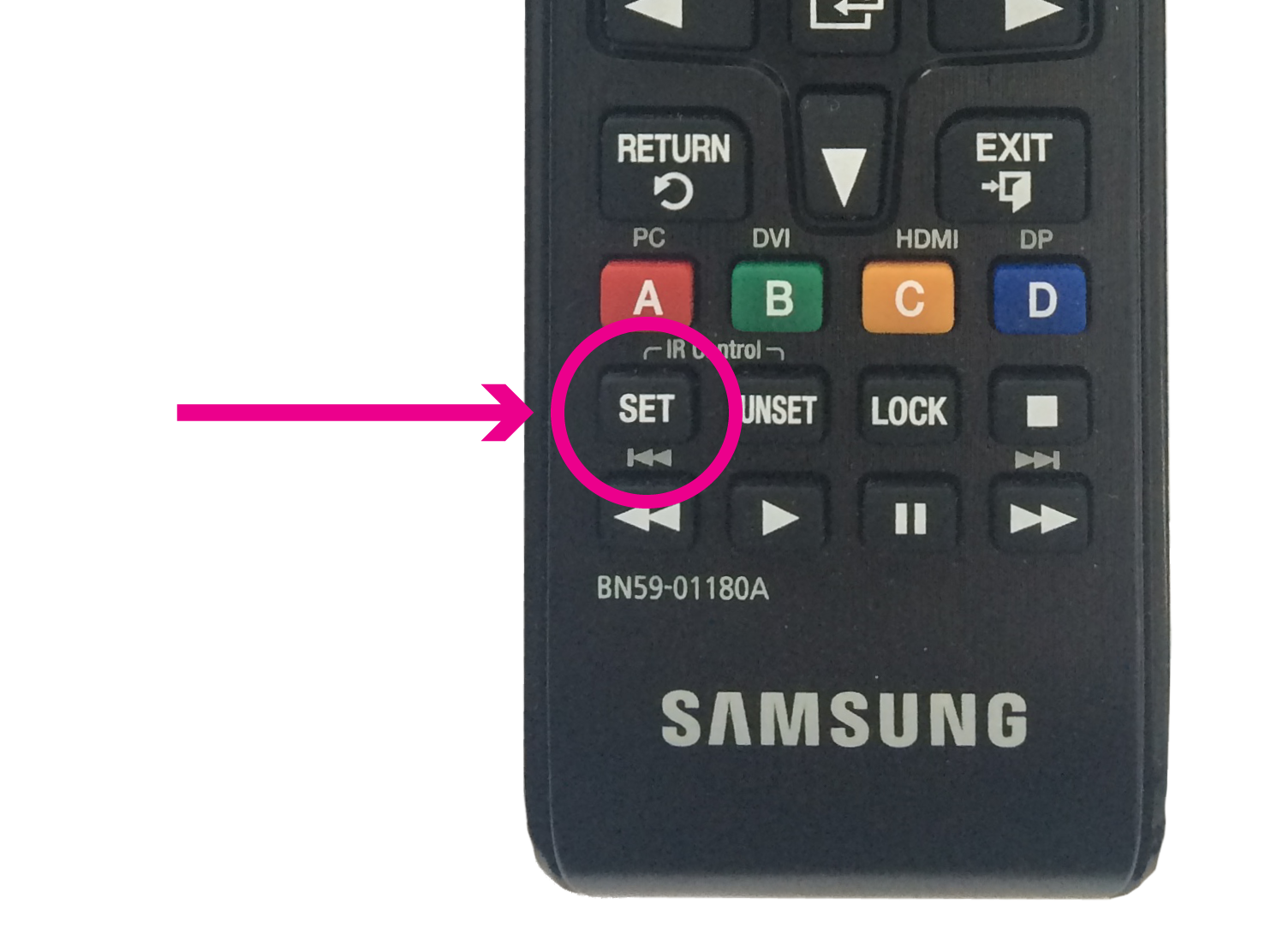
1. Press the 'SET' button on the remote.
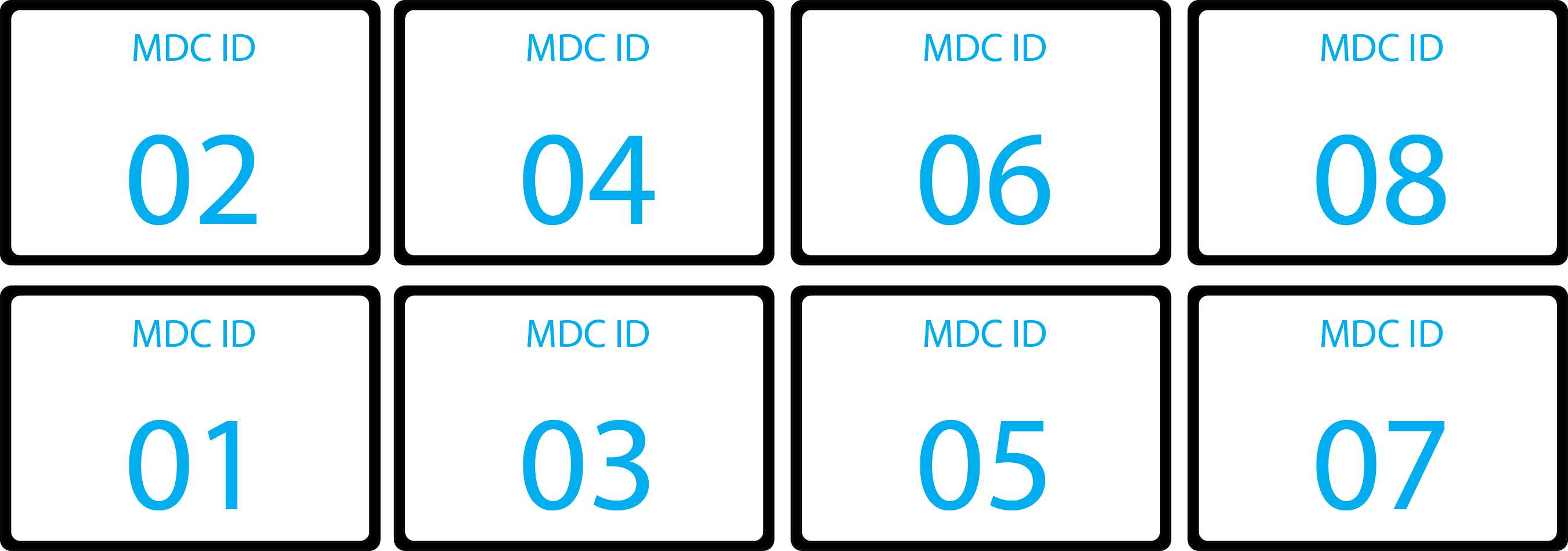
2. Numbers will show on all the TV's according to this diagram:
3. Press the corresponding number on the remote of the TV you need to control. Then press [enter]. (e.g. '0' --> '1' --> '[enter]')
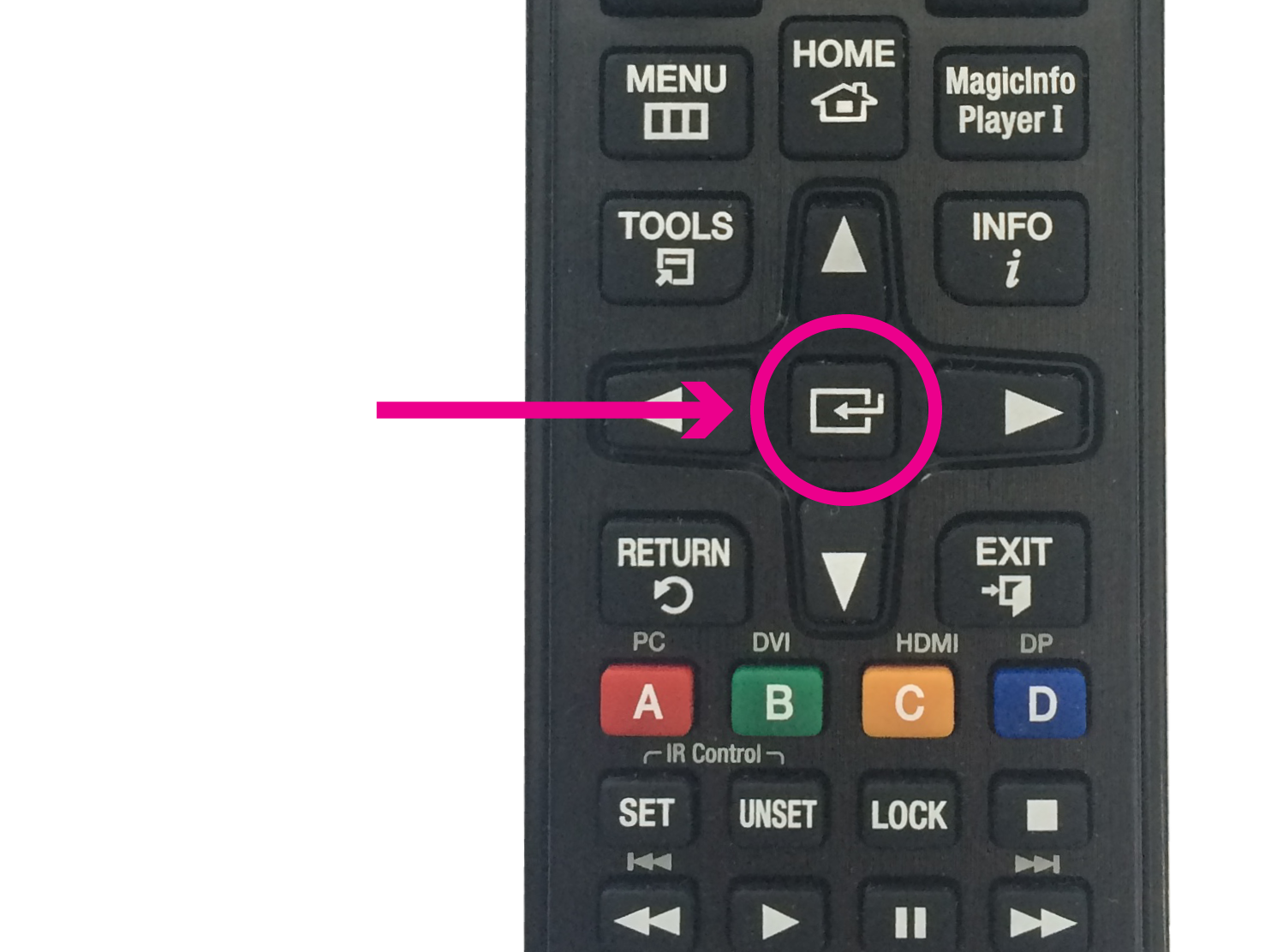
4. The number on the TV will highlight and you will be changing settings on JUST that TV.
5. Check/change settings as needed. [See: Samsung DM65d/e TV Settings]
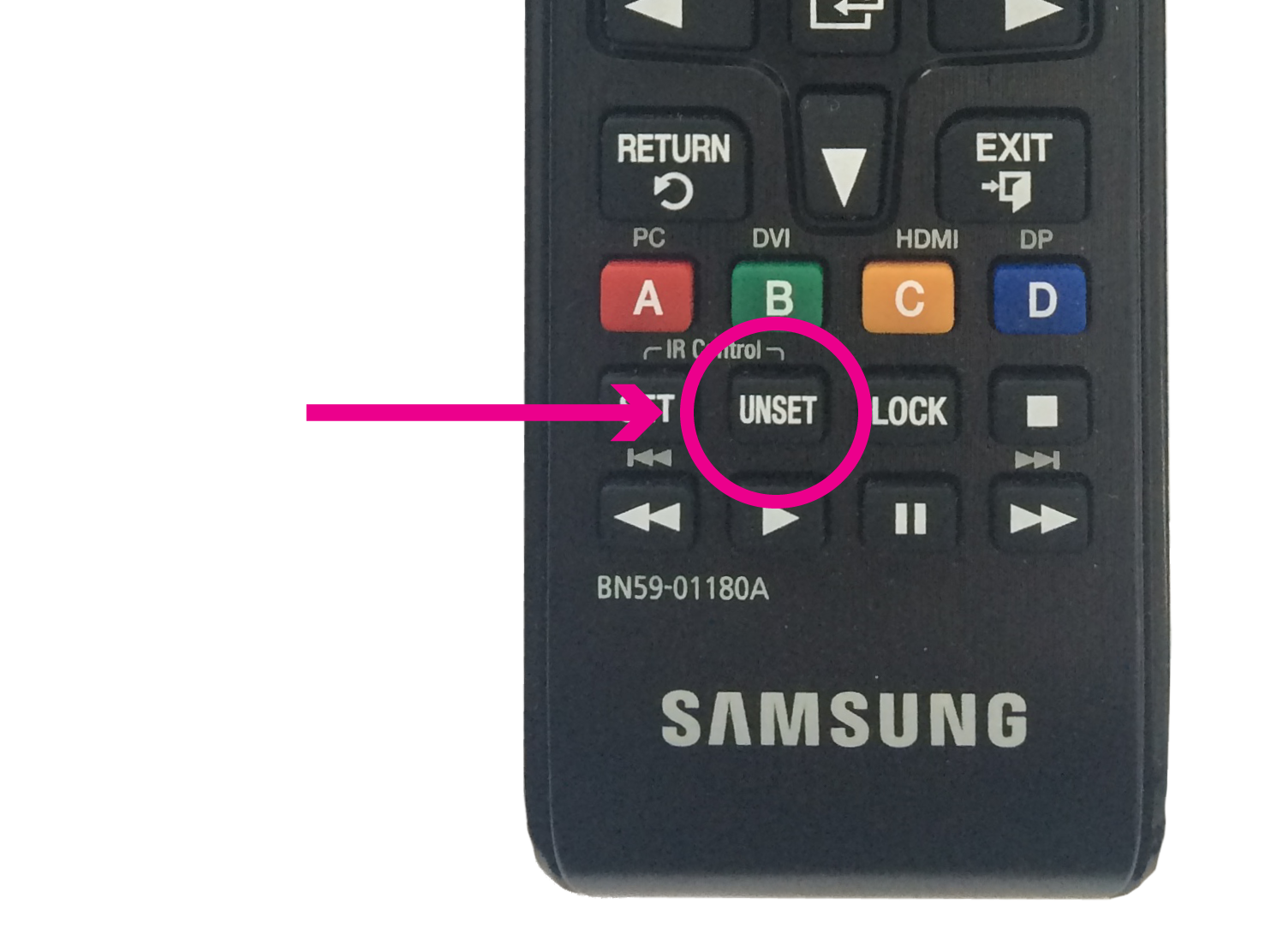
6. Press the 'UNSET' button to get back out to controlling the whole wall.
7. Repeat Steps 1-6 for all TV's that need settings changed.
Comments